Counting, letters, animal friends, photo galleries and tapping games — every single word spoken in a real recorded voice, never a robot. It runs entirely offline, has no internet permission at all, and there is no way to lose: no timer, no buzzer, no score that goes down.
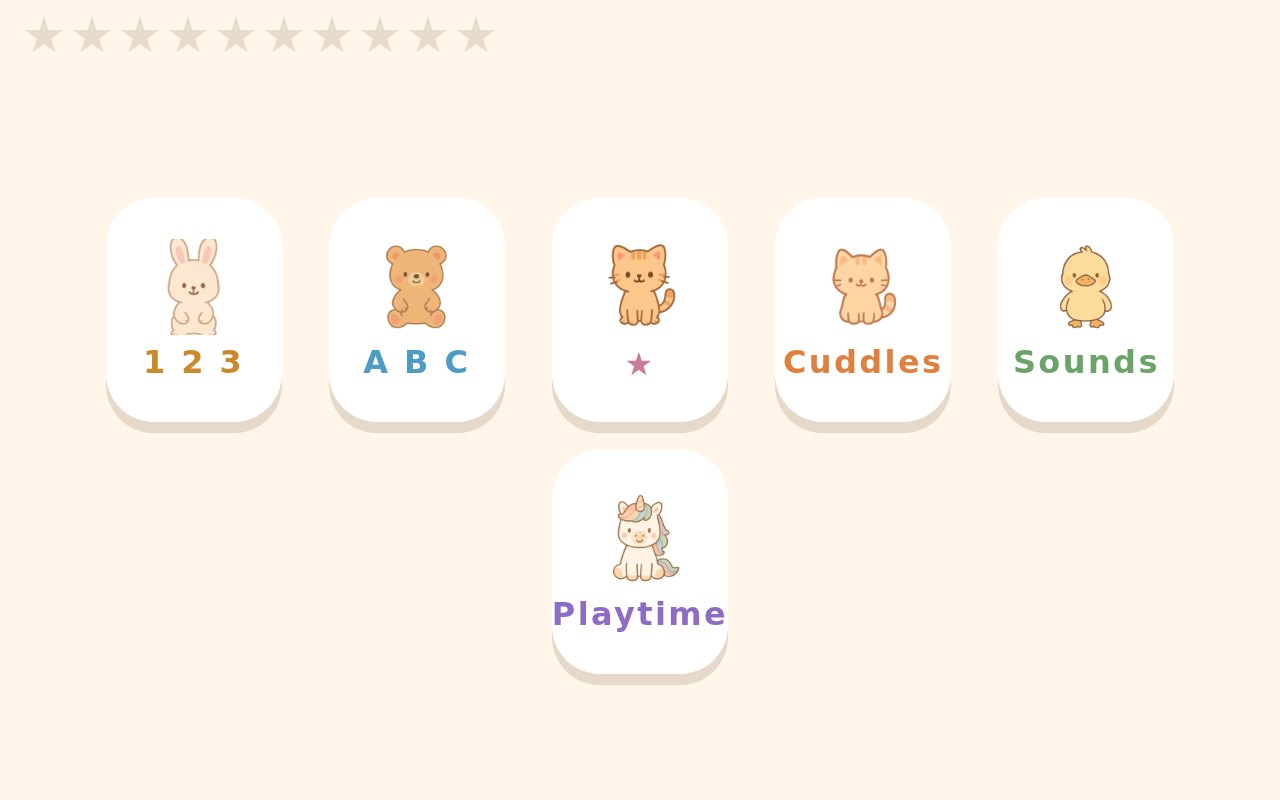
Every screenshot below is the real app, captured from the build you can download on this page.
Not a speech synthesiser running on the device — every phrase is recorded ahead of time and shipped as an ordinary mp3. These are the real files out of the app. Tap one.
Built rather than generated. Asking a speech model to sing it does not work — across six takes the best was still 2.45 semitones per note away from the real tune. So each letter is her own recording, pitch-shifted onto the actual melody over a music-box arrangement: 0.06 semitones median error, every note within a semitone.
One offline web app — plain HTML, CSS and ES5 JavaScript, no framework, no build step, no bundler. Each platform is a thin shell around exactly the same files.
The Android build ships with no INTERNET permission, so it cannot phone home even if it wanted to. Nothing is fetched at runtime: all data is compiled into content.js and read off window.CUBBY.
All 534 phrases are baked at build time by tools/make-voice.py and shipped as mp3s. It sounds like a person, costs nothing per play, works in aeroplane mode, and cannot change behind your back.
Every target is at least 15vmin. A press grows the target instead of shrinking it away from her finger, and taps that land in the gap between two tiles snap to the nearest one.
Full screen with no way out until a grown-up taps the top-right corner three times. Optional Home-button lock, screen pinning and a PIN. Desktop builds close with Ctrl+Shift+Q.
No timer. No buzzer. No score that goes down. After two wrong taps the right answer starts gently pulsing. That is the whole failure model.
Android is a WebView kiosk. Debian is GTK3 + WebKitGTK. Windows is a small compiled launcher that opens the bundled files in Edge as a chromeless window — no second browser engine bundled.
# 1. Never fetch anything. An Android WebView on file:// blocks XHR against
#    neighbouring files — a lesson learned the expensive way, when a sibling
#    app's voice index silently failed to load and every phrase fell through
#    to the device robot voice. Correct on the web, eery on the tablet.
#
# 2. No speech synthesis, ever. Every spoken word is a recorded clip.
#
# Both are enforced by the build, not by good intentions:

$ ./build-apk.sh
FAIL: the web app fetches something. A file:// WebView blocks that;
all data must come from window.CUBBY via content.js.The whole thing is public and permissively licensed. Clone it, hand the repo to an AI coding agent, and tell it what you want changed — different animals, a different language, your own child's name in the praise lines, your own voice. Nothing here is locked.
Anonymous, read-only, no account needed.
git clone https://git.hankelsner.tech/git/hank/cubby.git
cd cubbyClaude Code, Cursor, Aider, Copilot — anything that can read a repo and run commands. The repo carries its own CLAUDE.md and a memory/ folder that explains the architecture, the decisions and the traps, so a capable agent gets its bearings without you explaining anything.
claude # or: cursor . / aider / your agent of choiceA prompt that works, verbatim:
Read memory/20-DECISIONS.md and memory/30-GOTCHAS.md first.

This is CUBBY, an offline learning app for a 3-year-old. I want to make it
mine:

  - Replace the animals in content.json with <your list>
  - Change the praise lines to use my child's name, <name>
  - <anything else you want>

Two hard rules you must not break:
  1. Never fetch() or XMLHttpRequest anything — a file:// WebView blocks it.
     All data goes through window.CUBBY via tools/gen-content.py.
  2. No speech synthesis. Every spoken line is a pre-recorded mp3.

Then regenerate the content, re-bake only the clips that changed, and build.The voice is generated, not hand-recorded, so changing it is one flag. You need your own OpenAI API key in OPENAI_API_KEY — that is the only thing in this project that costs money, and it is a few cents to re-record all 534 clips.
python3 tools/gen-content.py              # content.json -> content.js
python3 tools/make-voice.py --dry-run      # what would be recorded, costs nothing
python3 tools/make-voice.py                # bake only what is missing
python3 tools/make-voice.py --voice nova --force   # or a whole new voice
Prefer a human voice? Drop your own mp3s into app/src/main/assets/voice/ using the same filenames and skip the baker entirely. That is the better answer for nursery rhymes, which no TTS reads without chanting.
Each build signs and packages with your own key, not anyone else's.
./build-apk.sh                              # Android APK, signs with a key it makes for you
./desktop/linux/build-deb.sh                # Debian .deb
cd desktop/windows && makensis -DVERSION=1.1.0 cubby.nsi   # Windows installer
Needs: Android SDK + JDK 17 for the APK, dpkg-deb for the .deb, makensis and a mingw cross-compiler for Windows. All three build on an ordinary Linux box.
Yes. There are no ads, no in-app purchases, no accounts and no paid tier. The code is MIT licensed and the artwork, photographs and all 535 voice recordings are released into the public domain under CC0. You can copy it, change it, and even sell your own version.
No. Everything is bundled inside the app and it runs entirely offline. The Android build is shipped without the INTERNET permission at all, so it cannot connect to anything even if it wanted to.
None. There is no analytics, no telemetry, no account and no network access. Nothing about your child leaves the device, because nothing can.
It was built for a three-year-old. Counting, letters and the animal screens suit roughly two to five; the photo galleries and animal sounds work for younger children too.
Android tablets and phones (Android 7 and later), Debian and Ubuntu Linux, and Windows 10 or 11. It is the same app on all three.
No. Every phrase is recorded ahead of time and shipped as an ordinary audio file, so it sounds like a person rather than a speech synthesiser. The recordings are generated with a text-to-speech model at build time, and you can re-record them in any voice, including your own.
Not by accident. On Android it runs as a full-screen kiosk and the way out is three taps in the top-right corner followed by a confirmation, with optional Home-button locking and a PIN. On Linux and Windows it closes with Ctrl+Shift+Q.
Yes, that is the point. Clone the public repository, change the animals, the words, the language or the voice, and rebuild it for Android, Linux or Windows. The page above has step-by-step instructions, including a prompt you can hand to an AI coding agent.
No. It was built for one child and given away because there was no reason not to.
The code is MIT. The art, the 56 photographs, all 534 voice clips and the sound effects are CC0 — public domain. Copy it, change it, ship it, sell it. No attribution required, no strings, nothing to sign up for. There is no paid tier because there is no tier.
 CUBBY
CUBBY